
Are you using ChatGPT, which is a hot topic these days? Although it is a convenient service, security measures are also important. If your account is compromised, there is a risk that your personal information and conversation history will be leaked.
In this article, we will explain in an easy-to-understand manner how to set up multi-factor authentication to use your ChatGPT account more securely. It only takes a few steps, so let's set it up together.
table of contents
What is multi-factor authentication??
Multi-factor authentication isHow to use multiple authentication factors to increase account securityis. Typically, a combination of passwords (knowledge factor), smartphone or authentication app (possession factor), and fingerprint or facial recognition (biometrics factor) is used.
For ChatGPT, enter the one-time code issued by the authentication appThis will confirm your identity. This prevents unauthorized access and improves account security even if your password is compromised.
The need for multi-factor authentication
ChatGPT stores your past conversation history and, in some cases, personal information as well. If your account is compromised, there is a risk that this information may be leaked.Authentication using only a password can be breached by being guessed or leaked from other services.. Adding multi-factor authentication prevents access to your account even if your password is compromised.Significantly improve securityYou can.
As a specific example, multi-factor authentication is effective in the following cases:
Reusing passwords
If you use the same password for multiple services, if your password is leaked for one service, there is a risk that other services will be accessed illegally. If you set up multi-factor authentication, you can prevent access to ChatGPT even if your password is compromised.
Phishing scam
Multi-factor authentication can also prevent phishing scams that lure users to fake login pages and steal passwords.
Malware infection
Multi-factor authentication is effective even if your computer or smartphone is infected with malware and your passwords are stolen.
ChatGPTSteps to set up multi-factor authentication
Log in to ChatGPT.
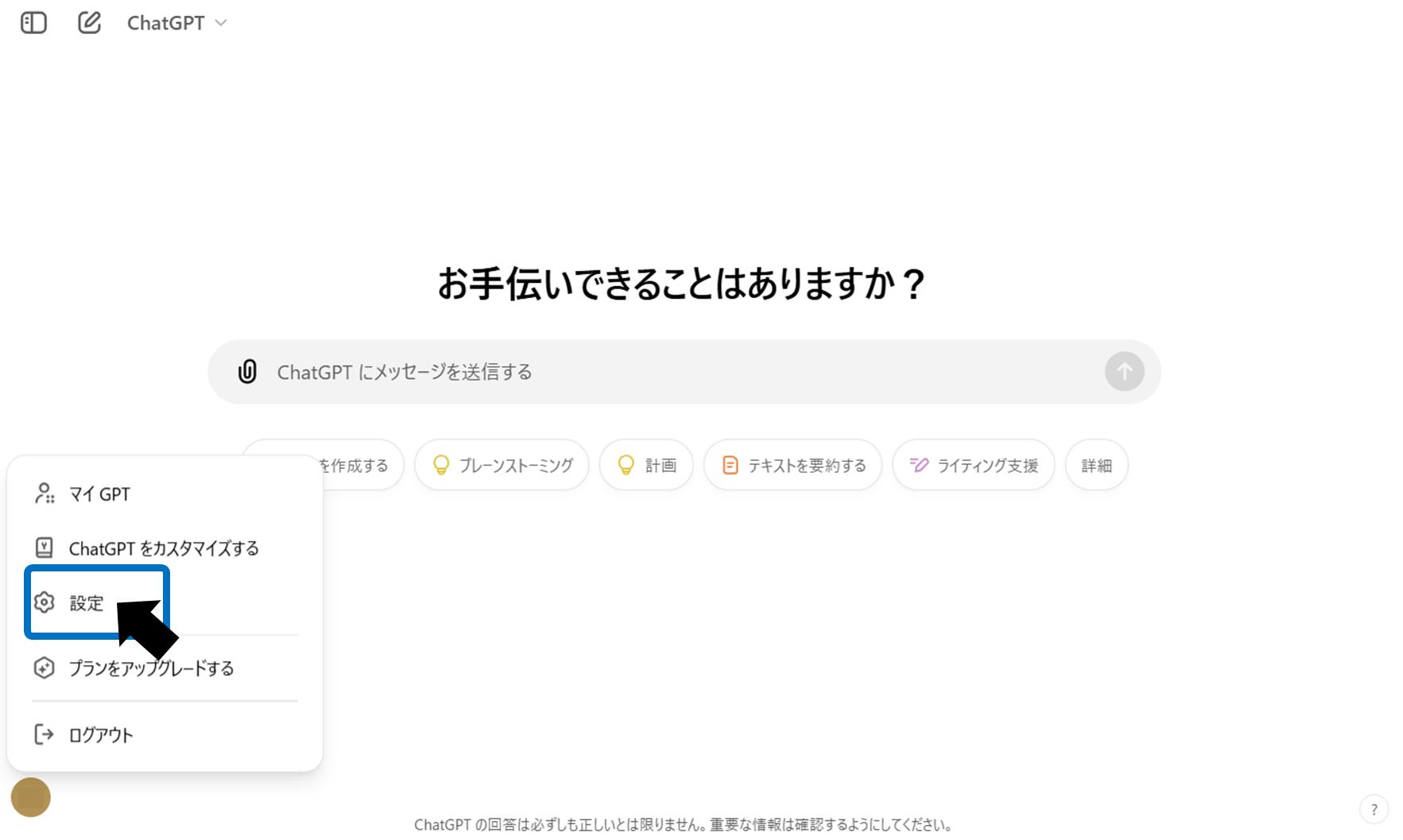
Click the icon at the bottom left of the screen and select "Settings" from the menu that appears.
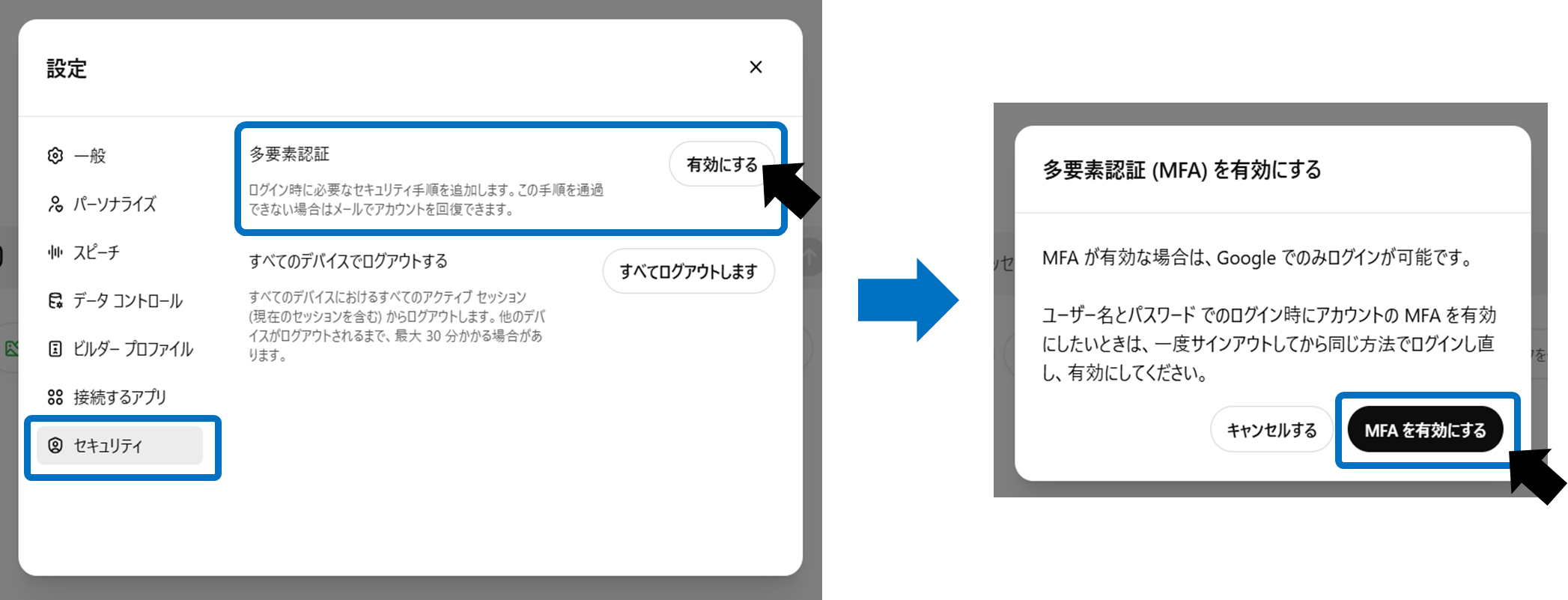
Select "Security" and enable "Multi-factor authentication".
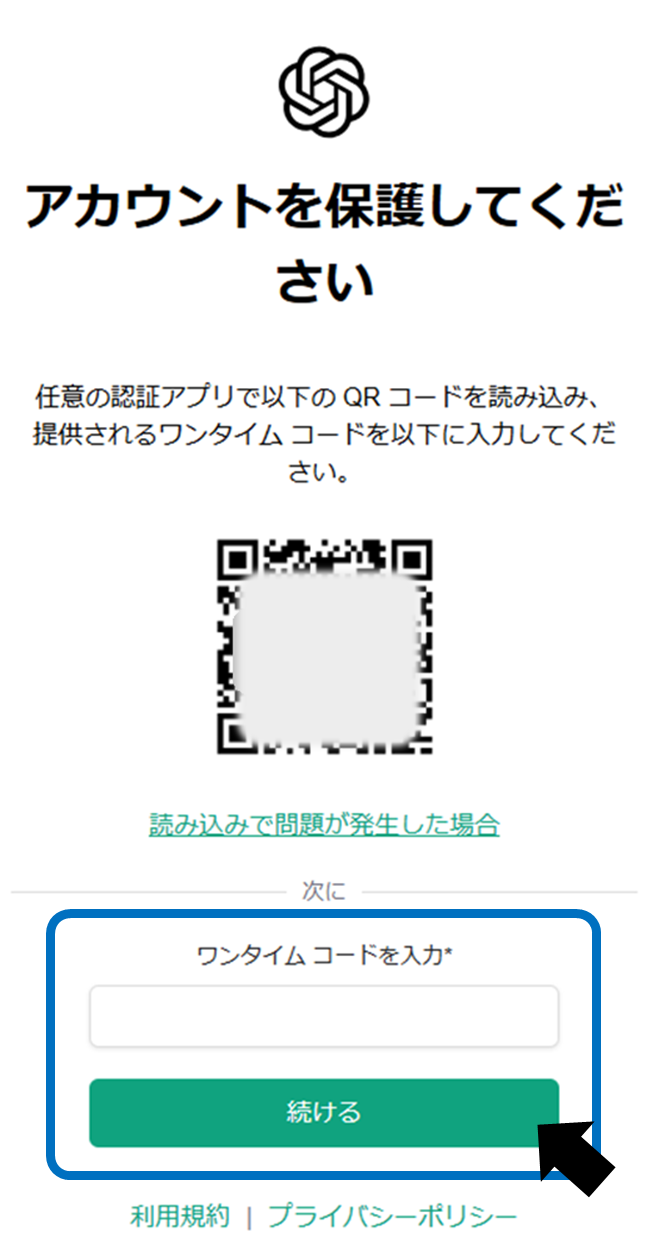
A screen like the one below will be displayed, so you can use any authentication app (Google Authenticator etc.) Please read the QR code displayed and enter the one-time code.
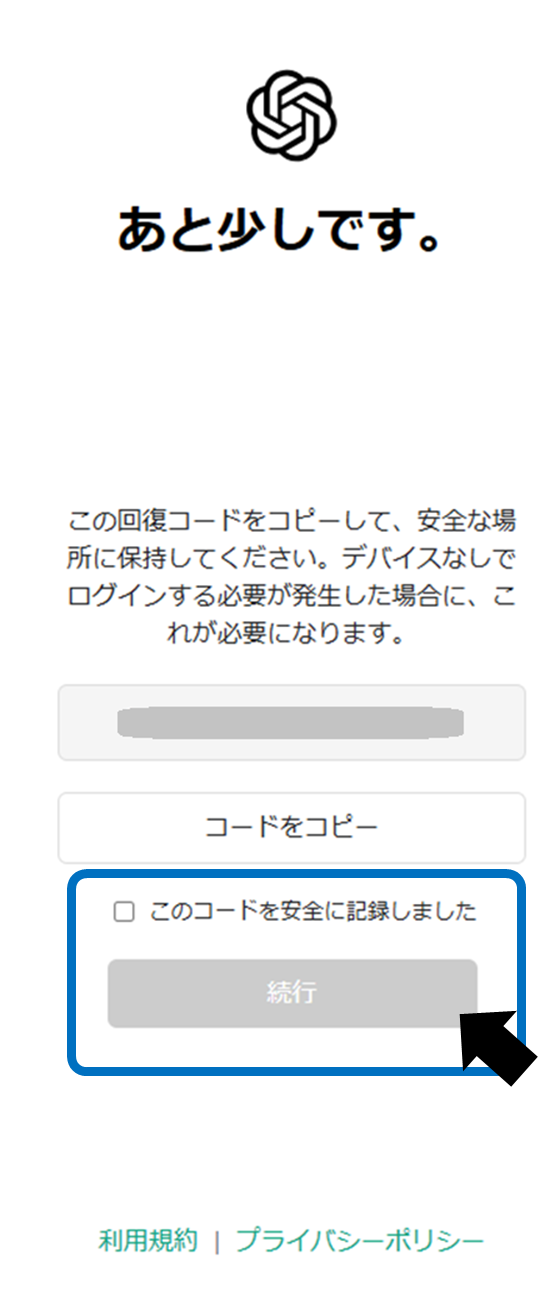
Once setup is complete, a backup code will be displayed. Keep this code in a safe place, as you will need it if you lose your phone. We recommend taking a screenshot or writing it down in a notepad. If you lose your backup code, it can be reissued.
Check "We recorded this code securely" and click "Continue."
That's all for the settings!
Once the settings are complete, you will be redirected to the screen below. You can confirm that multi-factor authentication has been enabled.
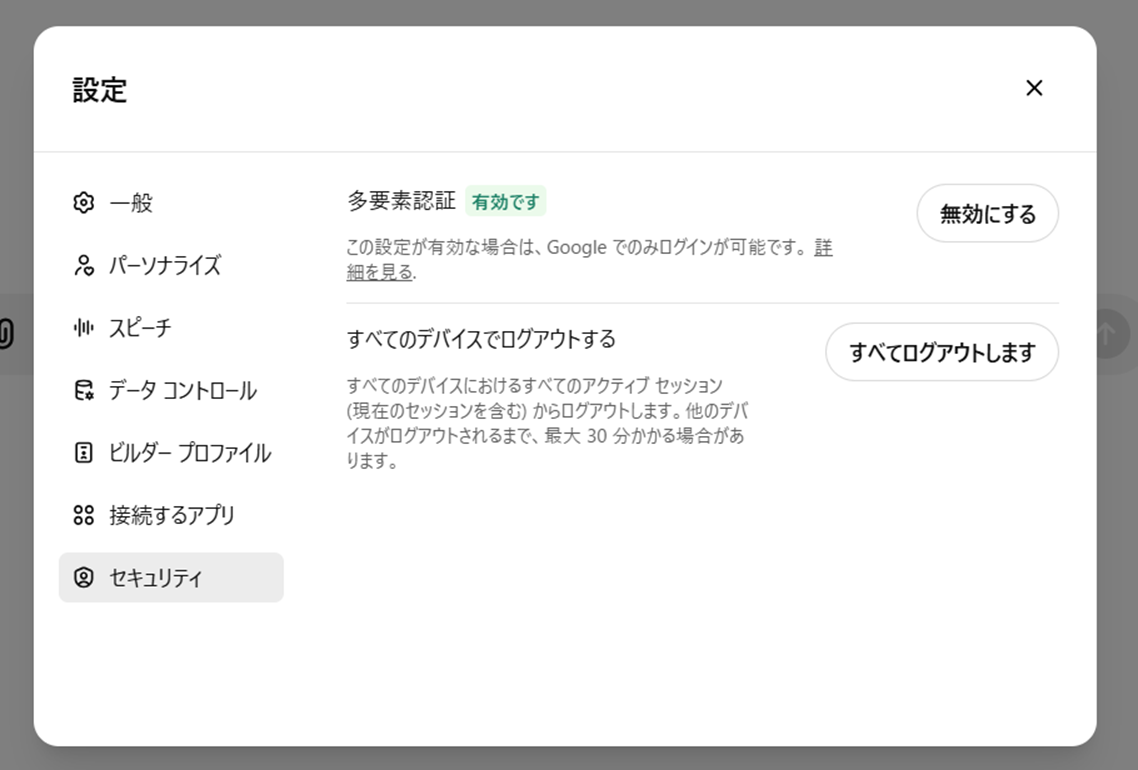
Two-factor authentication is now set up for your ChatGPT account. You can strengthen your security with a little effort, so be sure to set it up.
summary
Multi-factor authentication is a powerful security feature that protects your ChatGPT account. The settings areIt is a simple task of scanning a QR code, but it is highly effective in preventing unauthorized access.is. Once you have your authenticator app and backup code ready, you can use ChatGPT with confidence. You'll need an authenticator app to log in on a new device, and it's an important step to protect your information. Start using multi-factor authentication today to protect your important conversations and personal information.