
As you use ChatGPT, you may come across unexpected errors or questions. In such cases, you can rely on ChatGPT's help center.
This article provides an easy-to-understand explanation of how to contact the Help Center. Please use this as a reference so that you can quickly find a solution when you are in trouble.
table of contents
How to access the ChatGPT Help Center
When you click the "?" icon at the bottom right of the ChatGPT screen, several options will appear. By selecting "Help & FAQ" there, you can access Open AI's official help page (https://help.openai.com/en) can be accessed.
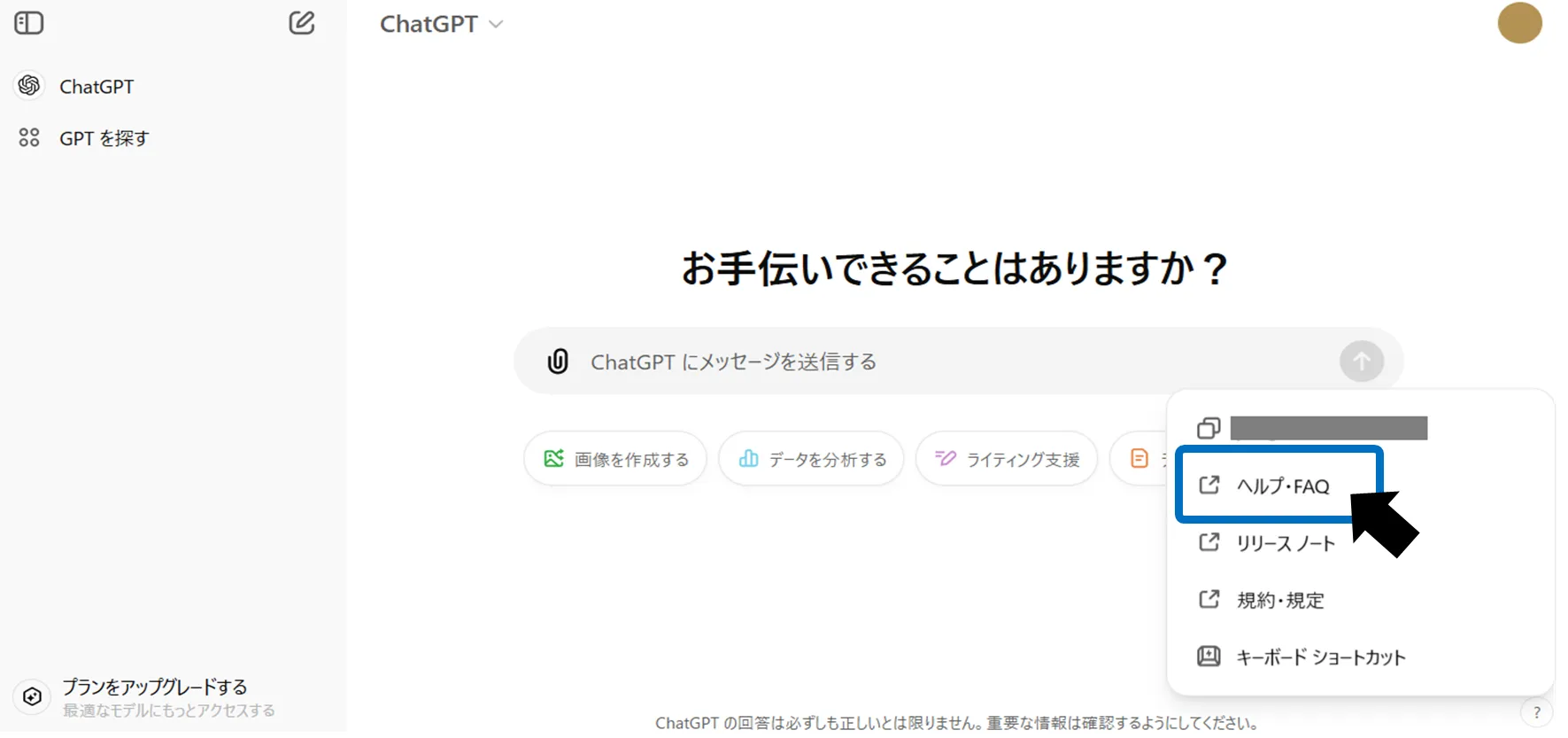
There are three main ways to contact the Help Center. Understand the characteristics of each and use them depending on the situation.
FAQ
A collection of frequently asked questions and answers. First, check here to see if your question is answered. Use the search function to find information more quickly. This is useful when you don't have much time or want to solve a simple question.
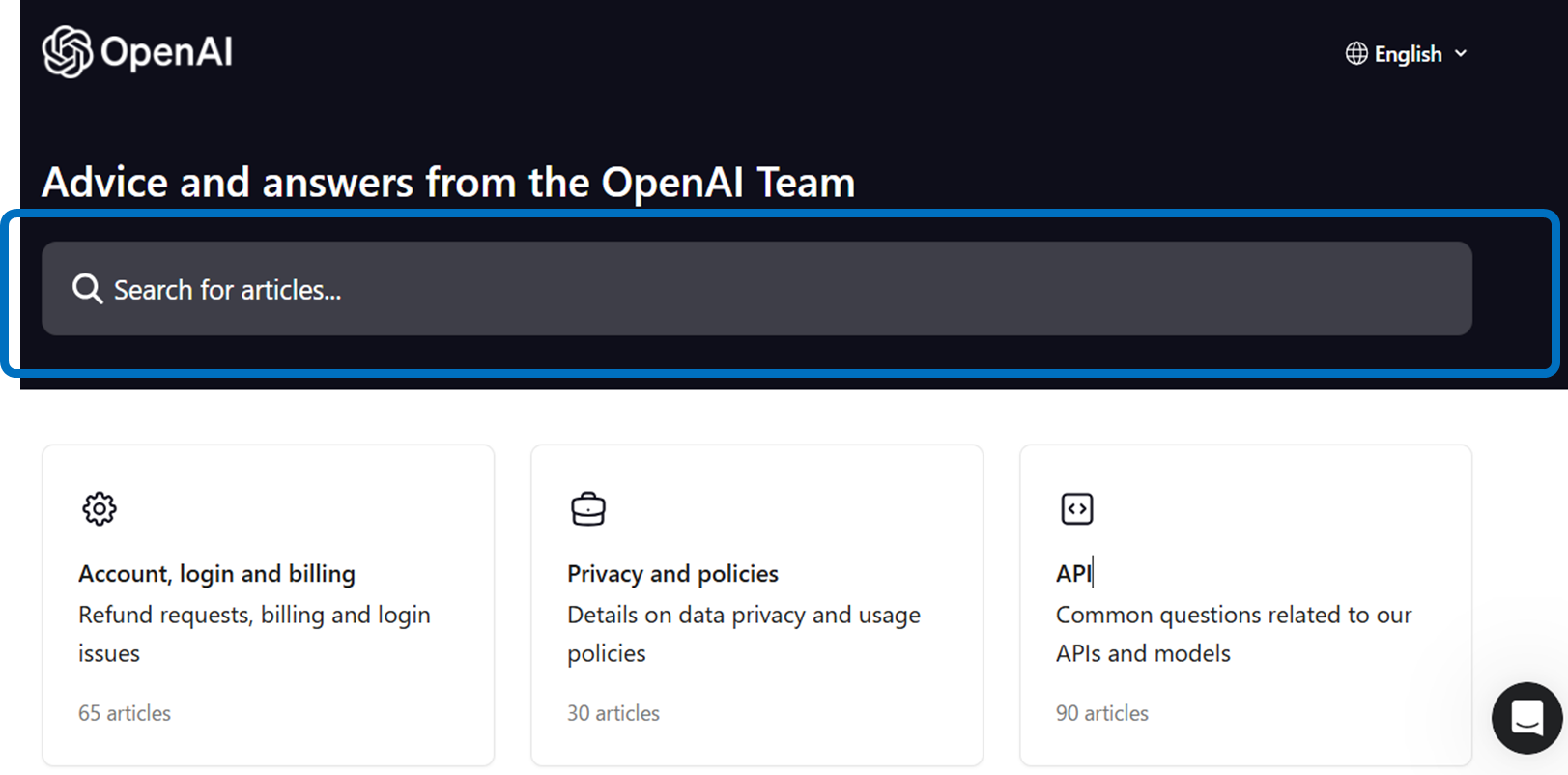
Consult chatbot
When you access the Help Center, you will see a chatbot icon in the bottom right corner of the screen. If you have a common question, the chatbot will provide you with a solution. We are available 24 hours a day, so feel free to contact us anytime.
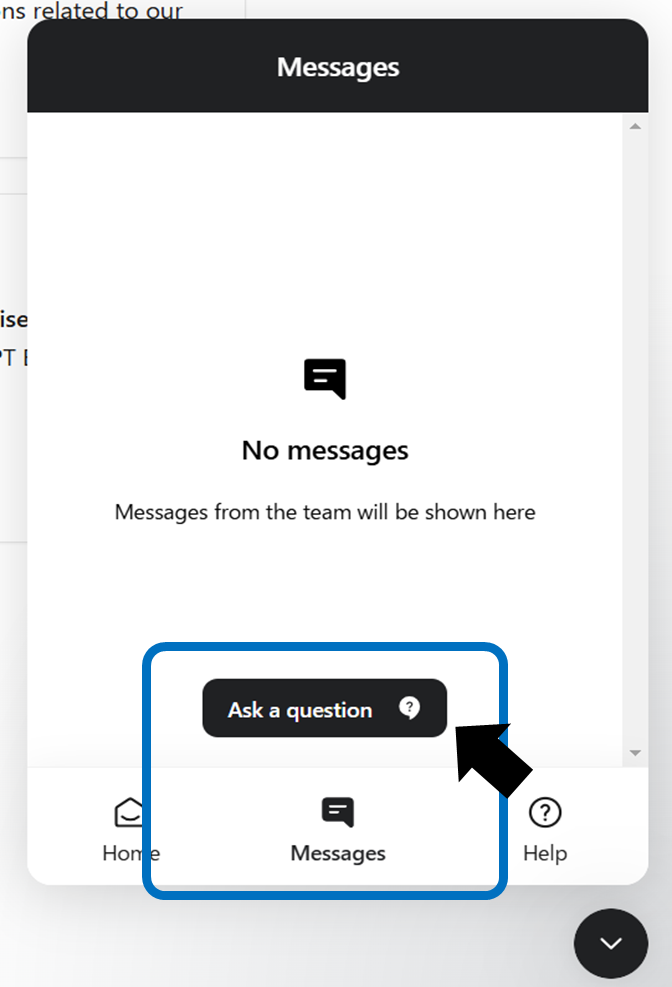
Contact us by email
If the FAQ or chatbot doesn't help, please contact us via email. By providing detailed information about your specific situation and error messages, you can receive more accurate support. It may take some time for us to respond, so please leave plenty of time to contact us. Suitable for complex or non-urgent issues.
email address:[email protected]
Points to help make inquiries smoother
Only English supported
ChatGPT support is provided in English only. When making inquiries, please write in English.
Explain the problem specifically
Please explain the error message and situation in detail. Attaching a screenshot will help us understand your problem more easily.
convey the necessary information
By telling us the browser, OS, ChatGPT version, etc. you are using, we will respond quickly.
Example of inquiry format
Please refer to the format below to help your inquiry proceed more smoothly.
Subject: Issue with ChatGPT - Error Code [エラーコードがあれば記載]Dear ChatGPT Support Team,
I am experiencing an issue with ChatGPT, and I would like to request assistance.
Here are the details.
Problem Description [問題が発生している具体的な状況を記載します。例:「応答が停止する」「特定の質問に対してエラーが表示される」など]
Error Message [エラーメッセージが表示される場合はその内容を記載します]
Browser and OS [使用しているブラウザとOS(例:Chrome、Windows 10)]
ChatGPT Version [使用しているChatGPTのバージョン(例:無料版、Pro版)]
Additional Information [その他関連する情報(例:発生時のスクリーンショットや再現手順)]
Thank you for your assistance.
Best regards, [あなたの名前]
summary
ChatGPT’s Help Center responds to inquiries in a variety of ways. By understanding the characteristics of each method and using them appropriately depending on the situation, you can solve problems smoothly. We hope this article will help you use ChatGPT more comfortably.