
Although I would like to utilize generative AI in my work, there is still the issue of the time and cost involved in connecting multiple tools and setting up a public environment.
Google's experimental tool "Opal" is characterized by the ability to create and publish mini-apps (small web applications that incorporate AI processing step-by-step) using only text instructions, and provides development, hosting, and sharing all in one. In October 2025, the service area will be expanded and it will gradually become available in Japan.
In this article, we will summarize the overall picture of Opal, its main functions, how to use it, how to handle fees, and points to use it in business.
table of contents
- table of contents
- Overview and basic structure of Opal
- Differences between workflow type configuration and conventional configuration
- Opal main features and strengths
- Design and generation flexibility
- Easy to share and operate with your team
- Security and operational infrastructure
- Current status of availability and fees
- How to use it
- Scenes of use in business
- Check points during installation
- Points to note and risk management
- summary
Overview and basic structure of Opal
Quote:https://developers.googleblog.com/en/introducing-opal/
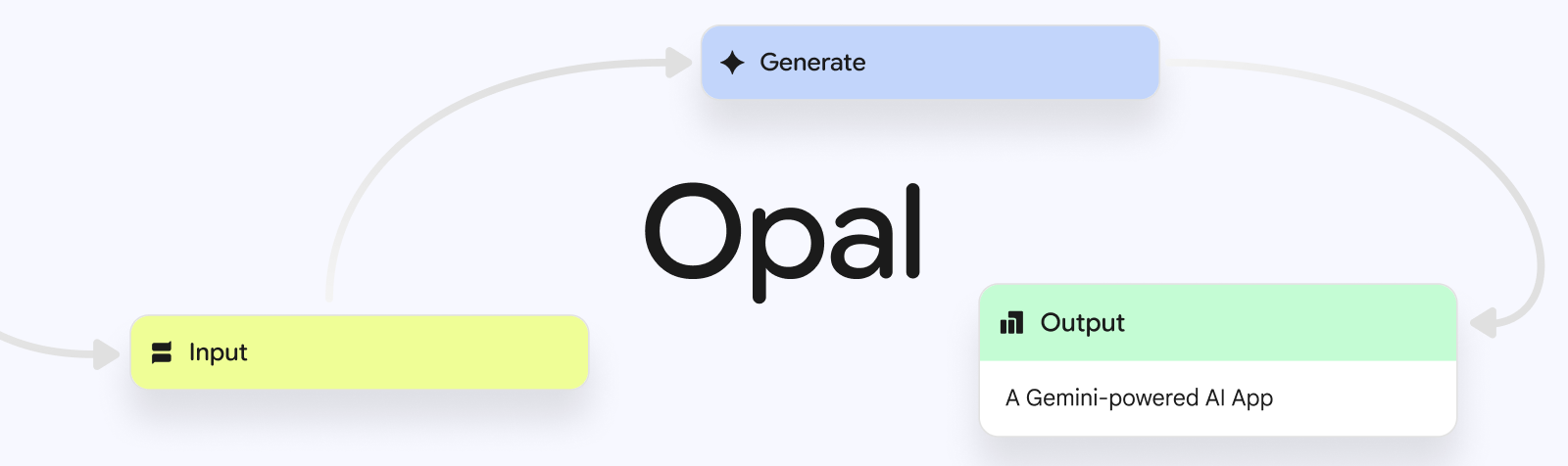
Opal is an experimental product that uses natural language and visual editing to connect prompts, AI models, and external tools as workflows to build shareable AI mini-apps.is. It started as a public beta (initially limited to the US) and has since expanded to 15 countries and territories.
Differences between workflow type configuration and conventional configuration
Opal visually combines steps such as "User Input → Generate → Output". At each step, choose an AI model and@You can use it to browse tools such as web search, maps, and weather, as well as uploaded static assets (images/documents/YouTube links).
Completed apps can be published immediately without the need for hosting, and the app itself is saved as a file on Google Drive.
Based on the above characteristics, we will briefly summarize the differences from conventional approaches.
comparison axis | Opal | Conventional (individual AI chat/general no-code) |
|---|---|---|
Construction method | With natural language + visualsMulti-stage workflowAutomatically generate and edit | Chat is a one-time process/No-code collaboration design is done manually |
Model and tool collaboration | Model selection +Web search/map/weatheretc. | Cooperation tends to be based on external services and API settings. |
Share/Publish | Built-in hostingLink published/permissions managed | Separate hosting and sharing settings required |
Handling of data | The app isGoogle Drive Save/Controlled by shared settings | Depends on storage/sharing specifications of each service |
Visibility and verification | in consoleVisualize input/output and execution order of each step | Visibility and reproducibility of execution is limited depending on the tool |
Opal main features and strengths
The true value of Opal is not just being able to create AI apps;Design, execution, verification, and sharing can all be completed in one environmentIt is at the point. The mechanism that allows you to define the app structure in natural language and visually verify and improve the generated processing flow provides an integrated experience not found in traditional no-code tools.
Also, OpalYou can visualize the running AI process in detail and adjust the output accuracy on the fly.It is characterized by its "strength in the operation phase." Sharing and publishing can be done while linked to a Google account, allowing teams to rapidly produce and experiment with prototypes. Furthermore, we also offer application publishing including hosting, storage management via Google Drive integration, parallel execution of models, debugging functions, etc.Completeness as an “AI development platform that you can try and use immediately”is increasing.
Opal gives you the speed to test ideas and the ease of sharing results with your team. Here, we will explain in order the specific functions that support this design concept.
Design and generation flexibility
Opal uses AI to automatically generate a multi-step workflow (User Input/Generate/Output) based on requirements entered in natural language. Users can add, delete, and connect steps on the visual editor, and flexibly adjust the design by combining it with text editing.
Also, within the prompt@If you enterWeb search/map/weatherIn addition to calling up tools such as images, documents, YouTube links, etc.Static asset referencesis also possible. This allows the generation AI to use external information and auxiliary materials to improve the accuracy of its output.
The output format of deliverables is also flexible,Web page automatically laid out by AIor present it asGoogle Drive spreadsheetYou can choose the publishing method according to your purpose, such as outputting the results to.
Easy to share and operate with your team
Apps created with Opal areSave to Google Drivewill be done.
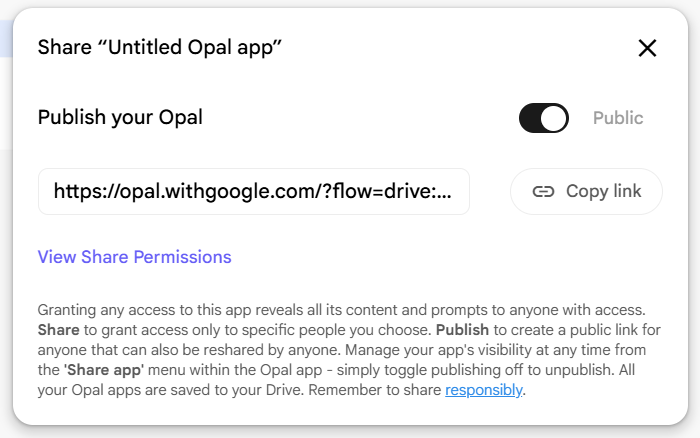
The share function allows you to grant viewing/editing privileges to specific users, and the publish function allows you to issue an execution-only link so that others can try it out.is. Even after publication, access rights and scope of use can be changed instantly, making it easy to deploy internally and externally.
moreover,The execution contents can be visualized in real time on the console, and the input/output and tool call status of each step can be checked on the spot.can. It is easy to identify the cause of errors and verify reproducibility when errors occur, and the design is easy for non-engineers to operate.
Opal also has built-in hosting, allowing you to share and publish your work immediately after creating it. Another strength is that you can start the operation phase immediately after completion without having to do any server construction or deployment work.
Security and operational infrastructure
Even non-functional aspects of Opal are designed with business use in mind.
Data usage policy
What are Opal's apps and prompts?Not used to train generative AI modelsIt is clearly stated. Privacy is maintained except for human review of some prompts for support purposes.
Compatible environment
Editing isOptimized for desktop UIThe created apps can also be used and viewed from mobile devices. Works regardless of location.
community
officialDiscord #opal channelYou can ask questions to the development team and exchange information between users. Information on new features will also be shared here as soon as possible.
Additionally, in the editorGenerating/switching themesorView/restore version historyis also possible. This makes it easier to track design adjustments and renovations, and improves team collaboration.
In this way, Opal is a tool that can handle three phases all at once: ``Design using natural language,'' ``Execute and verify as is,'' and ``Share and publish immediately.'' It is expected to be a platform that shortens the time from prototyping to implementation and sharing, and accelerates the use of AI in the field.
Current status of availability and fees
We compile information that is directly linked to decision-making, such as provision status, fees, and data handling.
item | Official status quo |
|---|---|
Availability | From October 7, 2025Gradual expansion to 15 countries and regions(including Japan) |
Fee | Official description of price page and billing plan has not been confirmed.(Guided as an experimental offer) |
Learning data usage | Opal content is not used to train generative AI. Some prompts may be manually reviewed for troubleshooting purposes |
Storage and permissions | The app isSave to Google Drive. Sharing/publishing permissions can be set |
Support/Community | DiscordGuide to the community for builders |
Operational policies and prices are subject to change, so please check the latest version before implementation.Official pageIt is safe to check.
How to use it
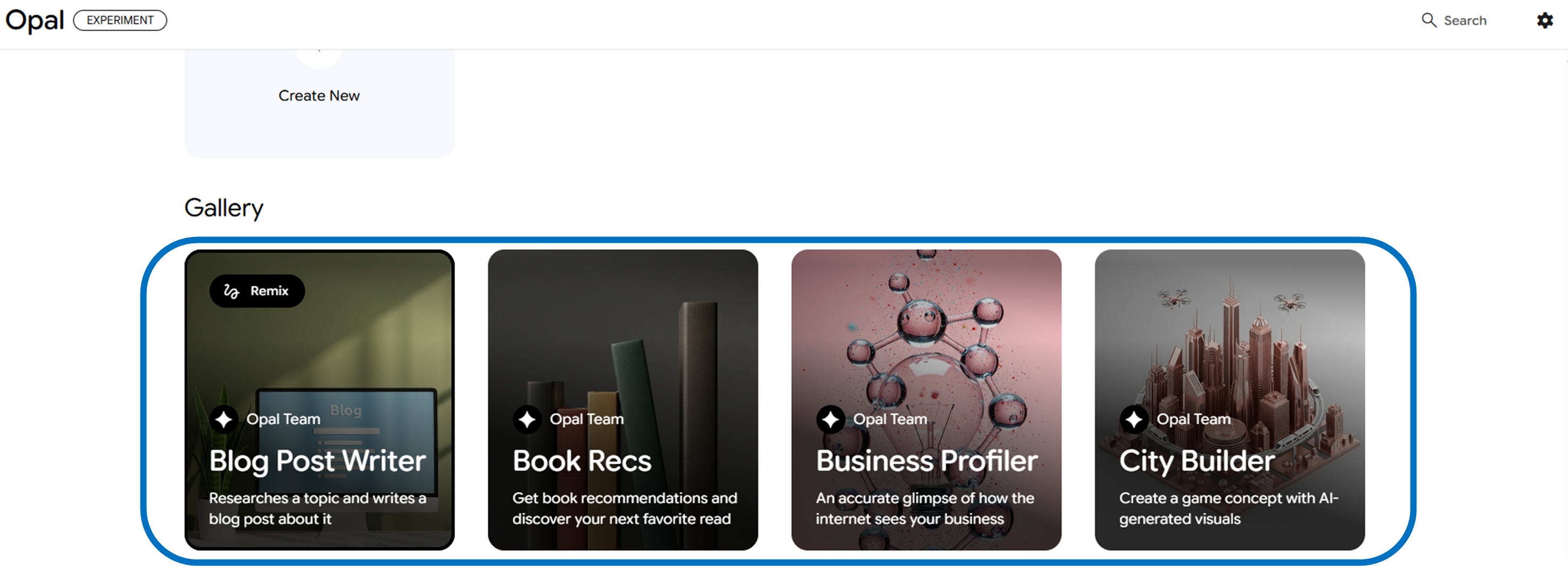
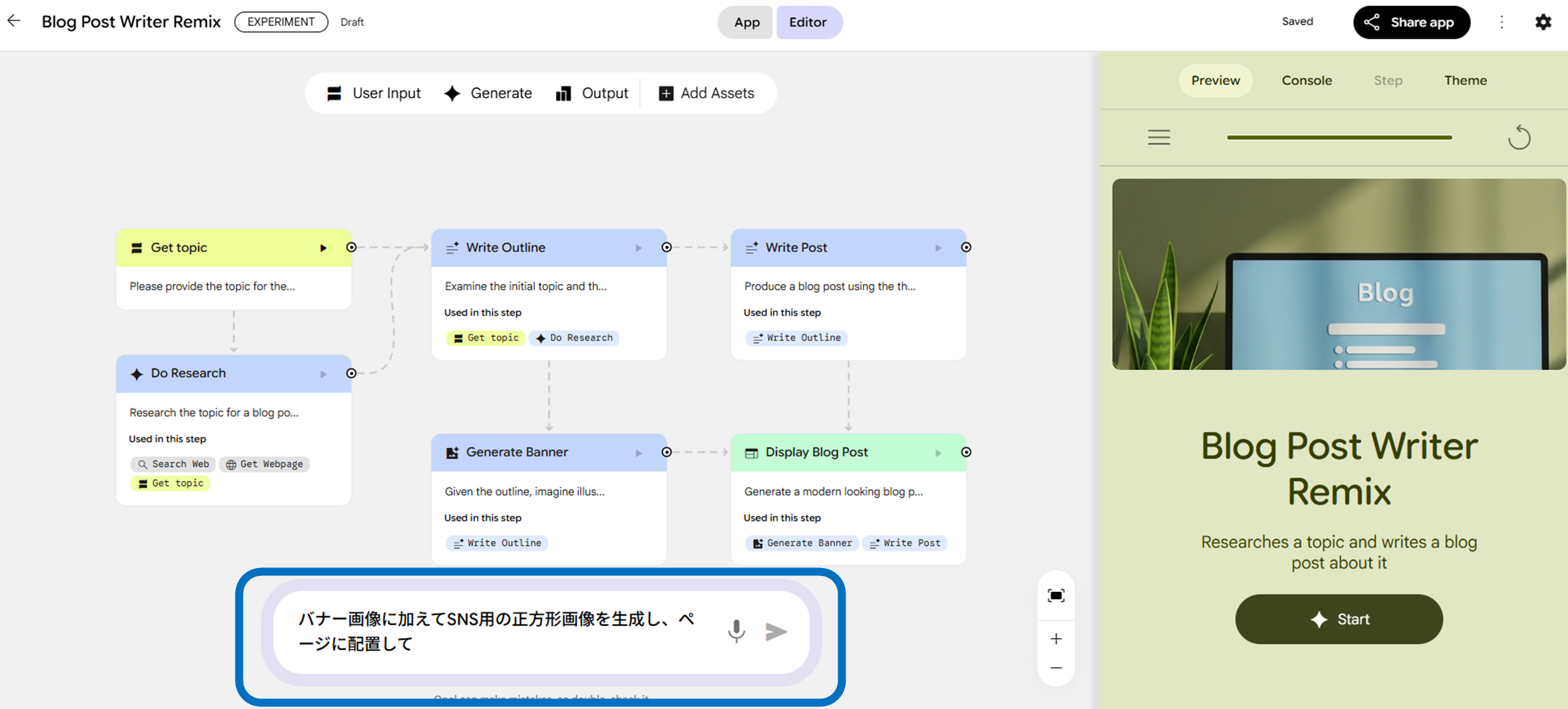
When using it for the first time, open the template in the gallery and "Remix" to check the operation as soon as possible. If you open the gallery from the top of Opal and display ``Blog Post Writer,'' for example, you can see the sidebar on the right and the editor structure at the bottom of the screen.
Once you've remixed the template and copied it to your workspace, write your change instructions in the natural language editor at the bottom of the screen. For example, if you enter "Generate a square image for SNS in addition to the banner image and place it on the page," the related steps will be automatically added.
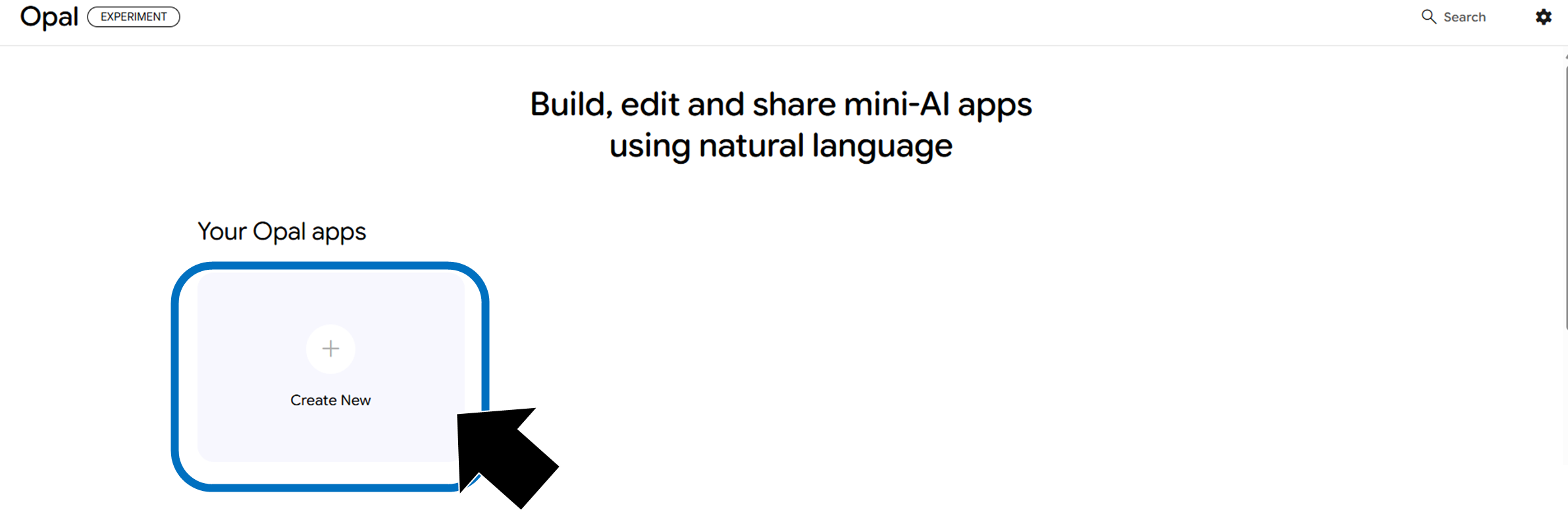
When making from scratchselect "Create New".
firstUser Input→Generate→OutputAfter setting the minimum configuration, select "Auto Layout Web Page" in the Output settings. @ if necessarySearch WebInsert tools such as or pre-uploaded assets into the prompt.
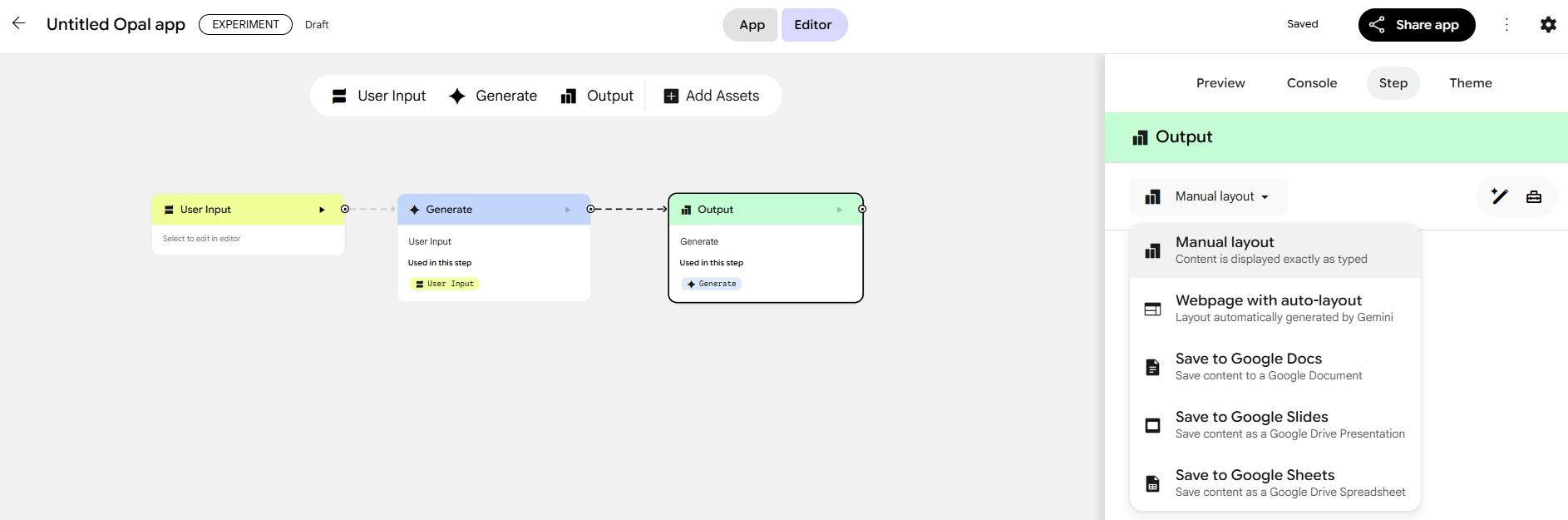
You can switch between editing and previewing on the same screen. After confirming the operation sufficiently,Share/PublishPublish a public link and set permissions such as view-only or editable.
Scenes of use in business
before putting it into productionVerification/PrototypeOr, on-siteSimple automationIt is suitable for Here, we will give some hints for concrete implementation in line with the direction suggested by the official formula.
Streamline marketing work
By combining research, drafting, image generation, and pagination into one mini-app, you can speed up in-house content production.
Daily/weekly standard output
Generates report text and illustrations based on form input, and outputs them to a web page or spreadsheet.
creative prototype
Provide requirement statements and reference assets, generate multiple proposals in parallel, visualize them, and share links for review by stakeholders.
The ability to immediately reflect feedback obtained from prototyping using a natural language editor accelerates the on-site cycle.
Check points during installation
We will organize the items that should be realistically checked during the implementation process in accordance with the official specifications.
Authority and scope of information disclosure
shareWhile the content of the prompt is subject to viewing,public linkcan be limited to execution—clarify operational rules.
Storage location and data management
The app isGoogle Drivekeep. Establish team drive (shared drive) operations, naming rules, and deletion policies.
Availability of model tools
@Grant withWeb search/map/weatherCheck in advance whether or not it can be used according to company rules.Verification procedure
consoleCheck the input and output of each step and document the procedure for troubleshooting in case of failure.
Provided area/UI environment
The offer isgradual rolloutWe will make it known that the editing UI is desktop-optimized.
It is effective to start with a small scope of application and disclosure and create a template from the knowledge gained.
Points to note and risk management
Although Opal aims for highly accurate generation, errors may occur. Therefore, it is important to verify the content of the prompts and check the overall operation of the app. Additionally, while Opal's generated content is not used for model training, some prompts may be viewed by humans for troubleshooting purposes. When handling sensitive information, it is necessary to carefully design the system based on the risks involved.
Additionally, you need to be careful about sharing settings. Prompts and configurations will be visible to collaborators, so be sure to properly control access rights, such as by email domain, when distributing public links.
The editing experience is optimized for desktop environments. Although it is possible to view and execute on a mobile device, it will be smoother if the team shares the assumption that editing work will be done on a PC.
Based on these considerations, by pre-defining operation guides and review flows, you can utilize the system while maintaining both quality and governance.
summary
Opal is natural language and visual editingMulti-stage AI processing in one mini appsummarized inInstant sharing including hostingIt is an experimental tool that can be used. Since the start of public beta,Enhanced parallel execution and debuggingImprovements have been made that are effective in practice, and its use has begun in Japan. It is realistic to start by remixing the gallery template and try it out on a small scale, and then expand the scope of application after establishing internal operational rules and verification procedures.