
As interactions with AI become commonplace, communication via ChatGPT is significantly changing the way we collect and utilize information. Conversation logs with ChatGPT have more value than mere records, and are valuable intellectual assets that can be used in a wide range of situations, from business to private.
This article explains specific methods for effectively saving and sharing conversation logs. We will introduce in detail the points for finding the best method from a variety of options, including official functions and Chrome extensions.
table of contents
Benefits of sharing ChatGPT conversation logs
ChatGPTBy efficiently storing and sharing conversation logs, information management and communication in business and private life are greatly improved.I will.
In business, sharing meeting minutes and brainstorming results facilitates information communication and collaboration within teams. Additionally, sharing FAQs and product descriptions with customers can improve customer satisfaction. Organizing and sharing training materials will improve learning efficiency.
In your private life, sharing your travel plans and event plans with family and friends will help you prepare more smoothly.
Additionally, sharing conversation logs is useful for reporting bugs and suggesting improvements to ChatGPT, as well as for sharing information and promoting discussion on specific topics.
Now, let's introduce some specific sharing methods.
How to save history with ChatGPT's export function
ChatGPT has an official export feature that allows you to save your conversation history easily and accurately.Ensures data is generated by the AI platform and maintains data integrity. However, there are some caveats. The download link will expire 24 hours after receiving the email, so you need to download it as soon as possible. Also, this feature is only available to users of the free version and Plus plan, and cannot be used by users who are logged out.
Steps to use the export function
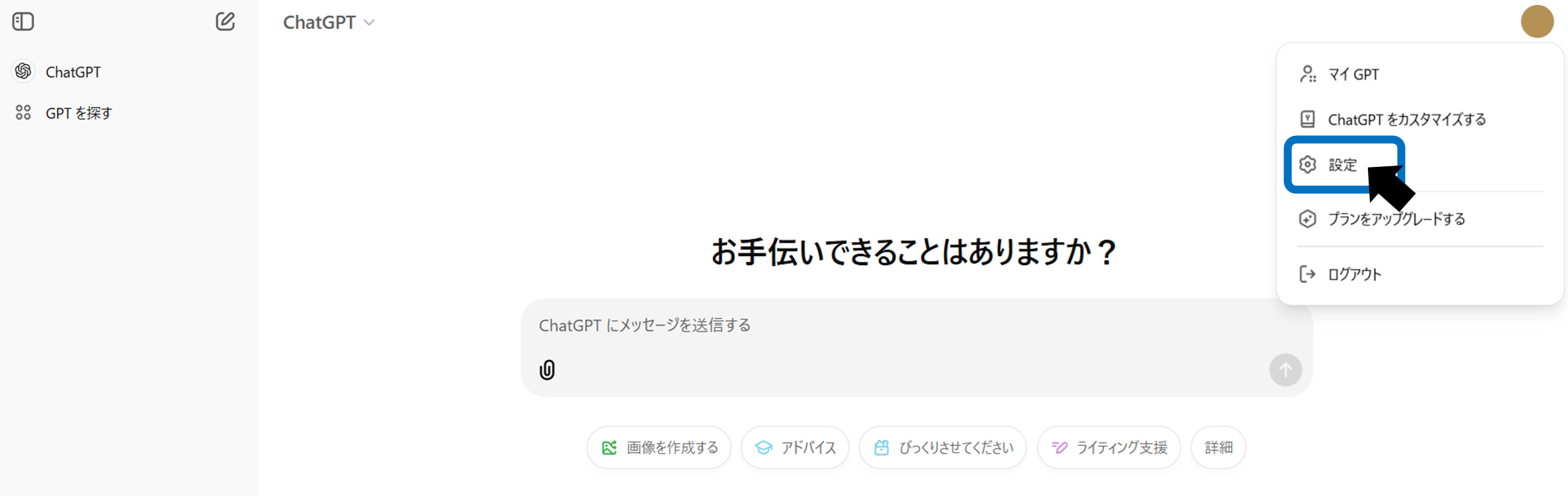
Access ChatGPT and log in. Click your account name or icon in the upper right corner to open "Settings".
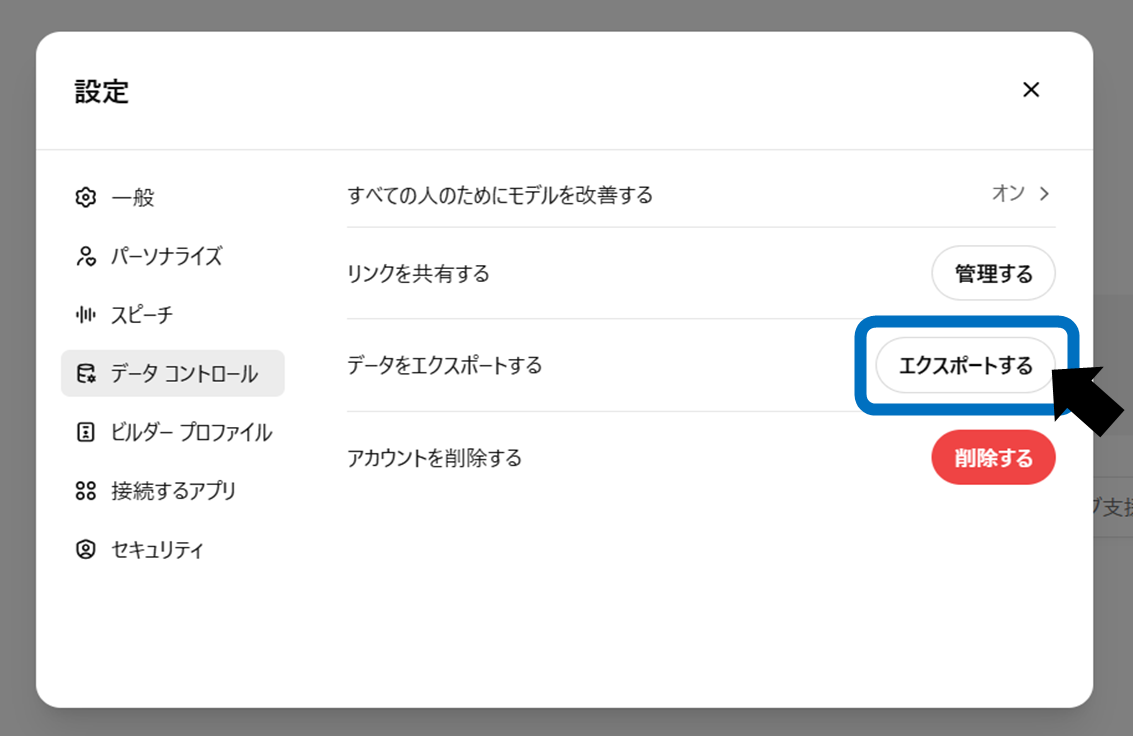
Select the Data Control tab and click Export.
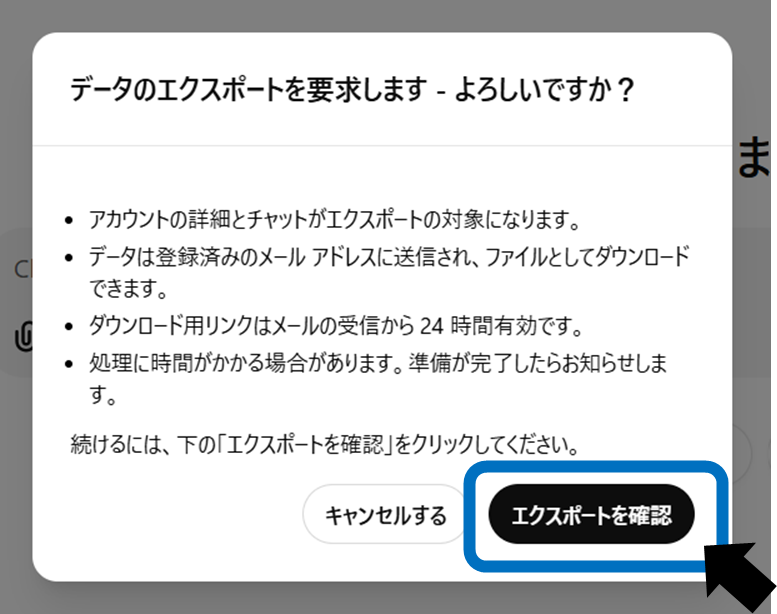
When the confirmation screen appears, click Confirm Export. An email will be sent to your registered email address.
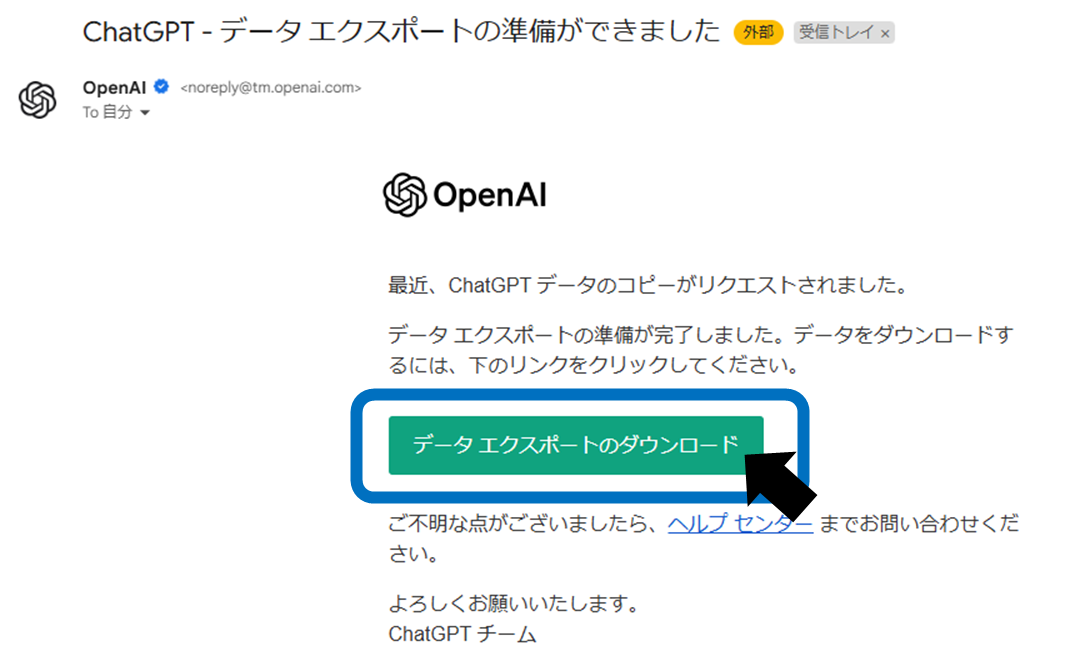
Click the link in that email and save the file. Unzip (unzip) the downloaded file. The conversation log ischat.htmlis stored in.
How to save ChatGPT logs with Chrome extension
There are some useful tools in the Chrome extension for saving ChatGPT logs. To add an extension, visit the Chrome Web Store, search for the extension you want, and click Add to Chrome. Below, we introduce three tools.
ChatGPT Exporter
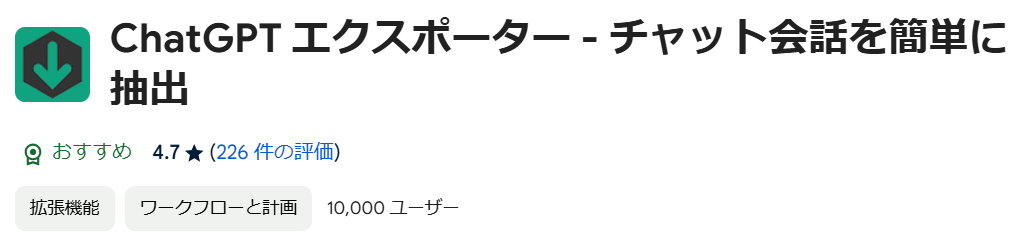
ChatGPT Exporter is a Chrome extension that allows you to easily save and share ChatGPT conversations.Compatible with various formats such as HTML, Markdown, CSV, etc.It supports efficient information management. Faster exports improve operational efficiency.
SAVE ChatGPT

Save ChatGPT saves ChatGPT conversationsSave in multiple formats including text and PDFThis is a Chrome extension that allows you to do this. Easily manage and share conversation history to help you review important information later. Efficient information organization is possible.
ChatGPT to Notion

ChatGPT to Notion isSave generated ChatGPT content to Notion with one clickThis is a useful Chrome extension that allows you to do this. It helps you take notes on text, manage tasks, organize ideas, and improve work efficiency. An easy-to-use interface supports quick information sharing.
These extensions allow you to efficiently save your ChatGPT conversations for easy reference later. Each tool has its own unique features, so it's best to choose the one that best suits your needs.
How to use the screenshot function
Screenshots allow you to easily save conversation logs without any additional software or extensions. Although it is the easiest method and does not require any special tools, it has some drawbacks such as it cannot be treated as text data, is difficult to edit or search, and is not suitable for storing long texts.
Windows
PrintScreen key, Alt + PrintScreen key, Windows + Shift + S key, etc.
Mac
Shift+Command+3, Shift+Command+4, etc.
smartphone
It varies depending on the model, but a common method is to press the power button and volume button at the same time.
How to share via link
ChatGPT link sharing is simple and easyIt is attractive that it can be done. The other party can view it even if they do not have a ChatGPT account, lowering the hurdles for information sharing. however,Please note that if you allow editing, there is a risk that the information may be falsified.is required. It's also worth noting that if you are a free user, you can only share by copying the link.
For more information and how to use the sharing feature, see this article.
How to easily share conversations on ChatGPT
summary
ChatGPT conversation logs can be easily saved and shared using export and extension features. Choose a method that suits your purpose and manage your information efficiently. By utilizing these functions, information sharing within a team and personal task organization will become smoother.